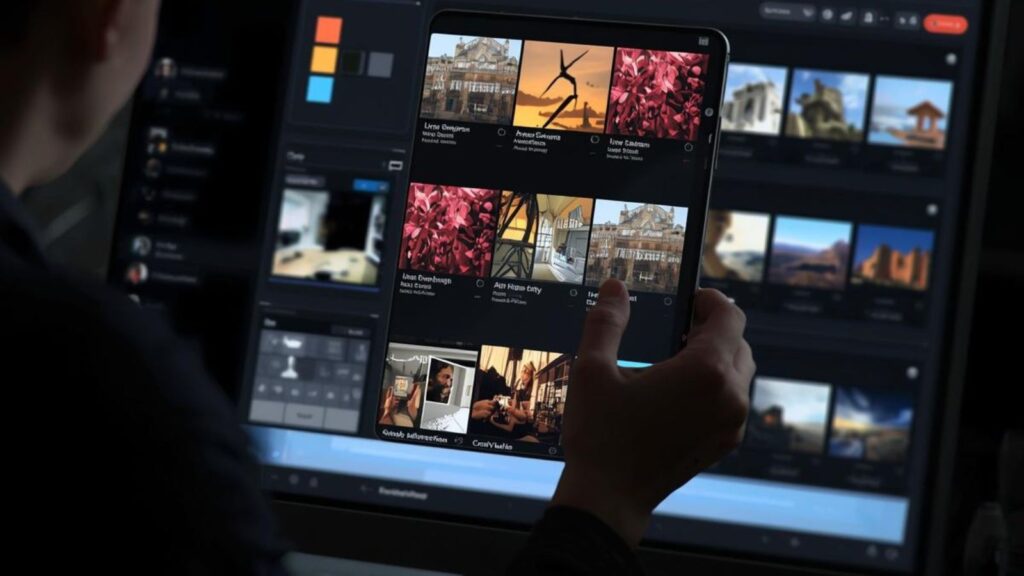
Each photographer has experienced the struggle when returning to a shooting location with hundreds of photos. Weddings can yield more than 4,000 images. A party can produce twice that. Manual culling, sorting through each image and removing the best ones, resizing them, deleting duplicates, and removing bad images takes up a lot of time to edit or take pictures.
AI culling software helps solve the problem. It evaluates photos for clarity, sharpness, faces, closed eyes and duplicates. Then, it picks the top images within the matter of minutes.
These are the 10 best AI photo culling software alternatives for 2026. The list includes Imagen AI culling software that photographers depend on to cut down the time of culling by a significant amount.
Your Weekend Back: 10 AI Culling Softwares for Photographers
1. Imagen AI Select
Imagen AI Select analyzes each photo for composition, sharpness, facial expressions, and technical quality, identifying duplicates and suggesting the strongest image from each series. For nice AI photo culling software, Imagen Select combines intelligent evaluation with seamless editing integration, turning a 4,000-image wedding into a curated selection in minutes.
What separates Imagen Select apart is its integration. Following culling, the selected photos automatically go into the Imagen editing workflow, where your Personal AI Profile or a Talent Profile applies your editing style.
It’s an unbroken pipeline that flows between raw images to final editing. Imagen Select is cloud-based, processing is done on high-powered servers, so the local computer is at a minimum for other tasks.
2. Aftershoot
Aftershoot may be the most well-known committed culling software among wedding and event photographers. It runs completely on your own computer operating offline and without dependence on the internet.
Aftershoot evaluates the quality of images by looking to determine the sharpness of images, eyes closed as well as facial expressions. making similar images as a group and highlighting possible issues.
The most distinctive feature is cull-to-target. It lets you tell Aftershoot precisely how many photos you want to say 800 of an 4,000-image wedding, and the AI decides on that amount and preserves the narrative of the shooting. The app also provides assisted culling. This lets you look over the AI’s recommendations and then make your final decision.
3. Narrative Select
Narrative Select is built specifically for portrait photographers and wedding photographers who prioritize facial expressions.
The AI algorithm analyzes every face on every photo, and identifies faces with closed eyes, expressions that are awkward as well as the most attractive smiles. This is why it’s great to use for group shots and portraits where the expression of the subject is paramount.
The program also has features for color-grading as well as basic editing. It’s much more than just a tool for culling. Narrative Select’s interface was optimized for speed, featuring keyboard shortcuts and a clean layout, allowing you to move through a multitude of photos quickly. It works locally and keeps the files safe in your computer.
4. Photo Mechanic
Photo Mechanic is not strictly AI culling software however, it is still the most efficient way to manually sort images. It downloads RAW files immediately and without delay in preview, and lets users sort and categorize images at speeds that match your vision. If you are a photographer who like the manual approach and AI assistance, Photo Mechanic is essential.
The latest updates include AI-powered capabilities, like facial detection and expression analysis. However, the main strength is speed. Photo Mechanic handles metadata, batch renaming, and IPTC data entry more quickly than its competitors. It is the preference of photographers and sports photographers who have to provide images quickly after an event.
For photographers who prioritize speed over AI-driven selection, Photo Mechanic excels. But for those seeking intelligent, style-adaptive culling integrated with editing, imagen AI culling software offers a more complete workflow solution.
5. Capture One Pro
Capture One Pro is primarily a RAW processor and editor, but its culling capabilities have improved dramatically. The software includes AI-powered grouping that automatically organizes photos by capture time, along with fast tagging and rating features.
For photographers comparing best AI photo culling software, Capture One offers a solid all-in-one solution though dedicated tools like Imagen Select provide more advanced AI-driven selection and seamless editing workflow integration.
If you are a photographer already part of Capture One or already in the Capture One ecosystem, the Culling functions built into the software add significant benefit. The program processes locally, and is integrated with the Capture One’s powerful editing tools to create an integrated workflow that runs from beginning to export.
6. Lightroom Classic AI Culling
Adobe has introduced AI-assisted culling to Lightroom Classic. It can now recognize images with closed eyes, shots that are out of focus or images with a poor quality of composition. It categorizes photos that are similar and recommends which ones to keep.
If you are a photographer who already uses Lightroom to edit the images, these culling functions built into the software make a great feature to add.
They’re not a substitute for an actual culling software for high-volume work; however they can provide a strong basis for photographers seeking AI assistance without adding another instrument in their work flow.

7. Evoto AI Culling Studio
Evoto AI is best known for its capabilities in retouching However, it also has an effective culling feature.
Its AI Culling Studio analyzes images to determine composition, sharpness as well as facial expressions. The program then groups duplicates before settling on the top photos.
Evoto’s culling was designed to integrate with the retouching tools it offers. Once you have finished culling, you are able to go straight into the editing interface to perform smoothing skin, color-grading as well as portrait enhancements. Depending on the software used alongside this workflow, they may also replace image sky backgrounds to give outdoor photographs a cleaner look or a different atmosphere. This gives you a full post-production workflow in one platform.
8. Peakto
Peakto uses a unique way of removing. Instead of looking at a specific catalog or folder the program applies AI-driven deduplication throughout your entire library of photos.
It finds similar, close-to-duplicate or duplicate images no matter where they reside through folders, several catalogues of software External hard drives or NAS systems.
Photographers with huge archives that span years of work Peakto can be a valuable tool. It can help you recover the storage space you have and then improve your portfolio by focusing on the most effective photographs. Culling can be done globally it is not a per-project thing which makes it an exceptional solution to manage your long term archive management.
9. PhotoPicker for iOS
PhotoPicker provides professional AI culling on smartphones. The iOS app allows you to sort your photos straight using memory cards, external SSDs or folders on the iPhone and iPad. The built-in AI can detect blur, eyes closed faces, repeated facial expressions and motion phase to determine the best images from each collection.
It is possible to work offline, no need for an internet connection. The flags, star ratings, and color labels save automatically to XMP format, ready for import into Lightroom, Capture One, or any other editor that can support XMP. Photographers who wish to sort through their files when traveling or in between shootings, PhotoPicker offers unprecedented flexibility.
While imagen AI culling software delivers intelligent, style-adaptive selection with seamless editing integration, PhotoPicker excels when internet access is limited and ultimate portability is the priority. Your workflow location determines the right choice.
10. Narrative AI
Narrative AI is the new culling system from the creators of Narrative Select. It combines the expression-focused AI that made Narrative Select popular with advanced machine learning that learns your personal preferences over time. The more you use it, the better it becomes at recognizing the types of images you’re likely to select.
For photographers seeking best AI photo culling software, Narrative AI offers the unique advantage of adaptive learning, a tool that grows smarter with every edit, becoming increasingly aligned with your personal taste.
In beta right now, Narrative AI is expected to be a significant participant on the AI culling space. It works locally, processes offline and is integrated seamlessly with Lightroom as well as Capture One. Photographers who are looking for AI that can adapt to their personal taste, Narrative AI is worth a look.
How to Choose the Right Culling Software
Your decision is contingent on the workflow you are using and your priorities.
- To complete your workflow, that includes culling, editing and more: Imagen AI Select allows seamless integration with Imagen’s editing platform. Cut, edit and revise your individual AI profile – all within one.
- To enable offline processing: Aftershoot processes completely on your local computer. No internet required, no upload delays.
- To give face expression priority: Narrative Select concentrates on expressions, which makes it the perfect choice for portraits or group shots.
- Speed: Photo Mechanic loads RAW files immediately, which makes it the most efficient manual culling option with AI assistance.
- To provide all-in-one post-production: Evoto AI includes culling, retouching, as well as editing all in one place.
- To work with mobile devices: PhotoPicker lets you search the iPhone or iPad which is ideal for trips as well as on-location shootings.
- for archive management: Peakto helps you deduplicate and sort through all your photo libraries and not only individual projects.
Closing Remarks
AI photography culling is now important to professional photographers in 2026. Imagen AI Select offers seamless integration with Imagen’s editing system and creates a full process from culling through final file export.
Aftershoot is one of the most well-known focused culling software with powerful offline processing as well as cull-to-target capabilities. Narrative Select prioritizes facial expressions to create portraits. Photo Mechanic remains the fastest manual culling option. Evoto AI combines culling with Retouching. Peakto offers global deduplication across archives. PhotoPicker provides AI culling to iOS devices.
It is the best AI photo culling software as well as Imagen AI culling software options reduce culling times by between 80 and 90 percent while improving the quality of selection. If you are a wedding or event photographer processing thousands of photos per week, these softwares are crucial.